

AI · Knowledge
Ask your documents, not a guess.
Add policies, manuals and web pages. Spark ERP cuts them into passages, embeds them with any embedding model, and searches by meaning and by exact words, so an assistant answers from what your organisation actually wrote.
What you can do
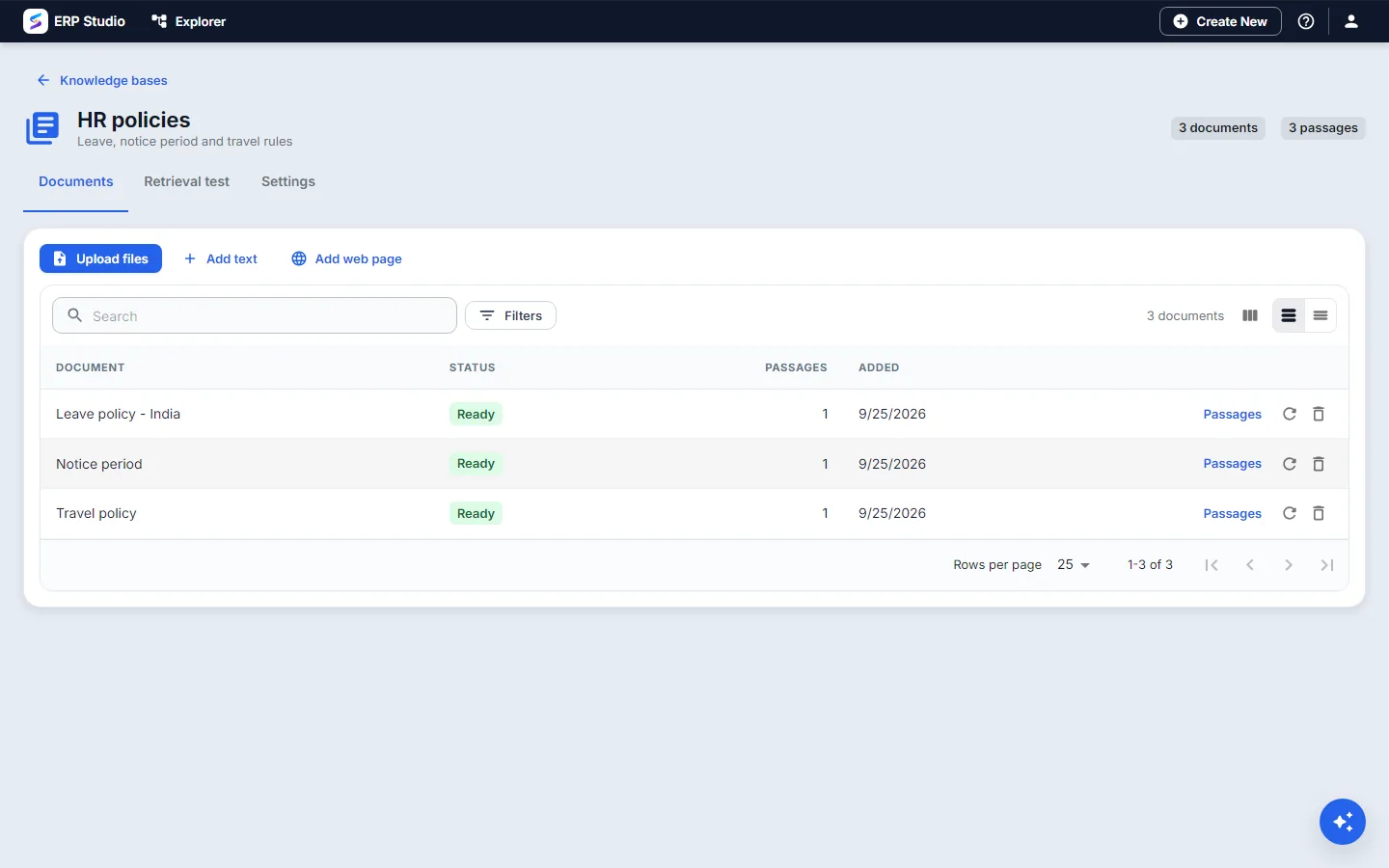
Add documents
Paste text, upload text files or add a web page.
Any embedding model
Vectors of any size work, and each search only compares vectors from the same model.
Meaning and words
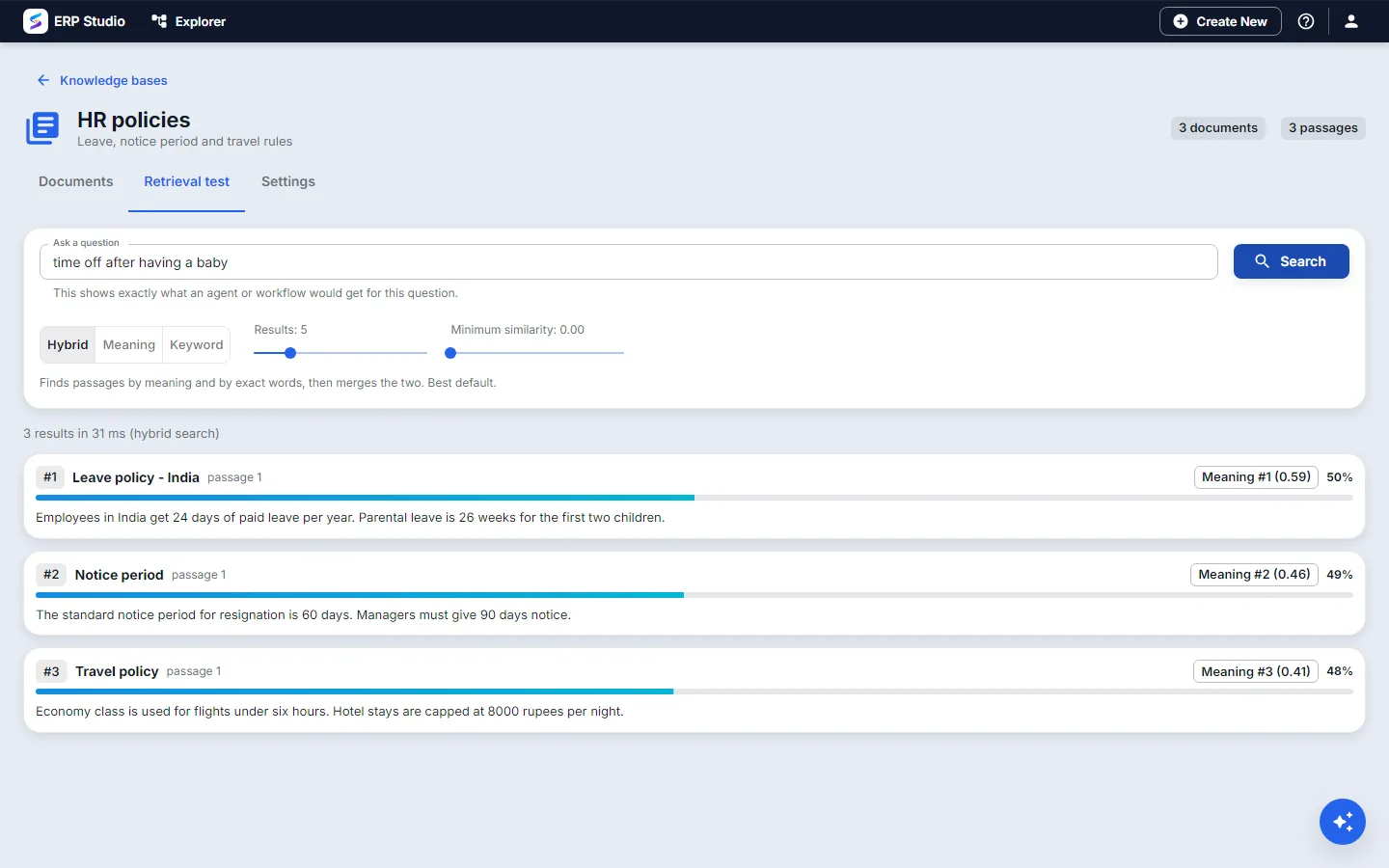
Search by meaning, by exact words (useful for codes and names), or both together.
Tune it
Set passage size and overlap with a live preview, and the default search mode and minimum similarity.
Test a question
A retrieval test shows exactly what an agent or workflow would get, with scores.
Yours alone
Documents and vectors are stored in your own tenant database.
The real screens
What to know today
Text, text files and web pages are supported. PDF and Word files, crawling a whole site and scheduled re-sync are not available yet, and access is set per knowledge base rather than per passage.
Try it on your own policies.
Bring a few documents and the questions people ask most.