

AI · RAG
Answers from your knowledge, with the source shown.
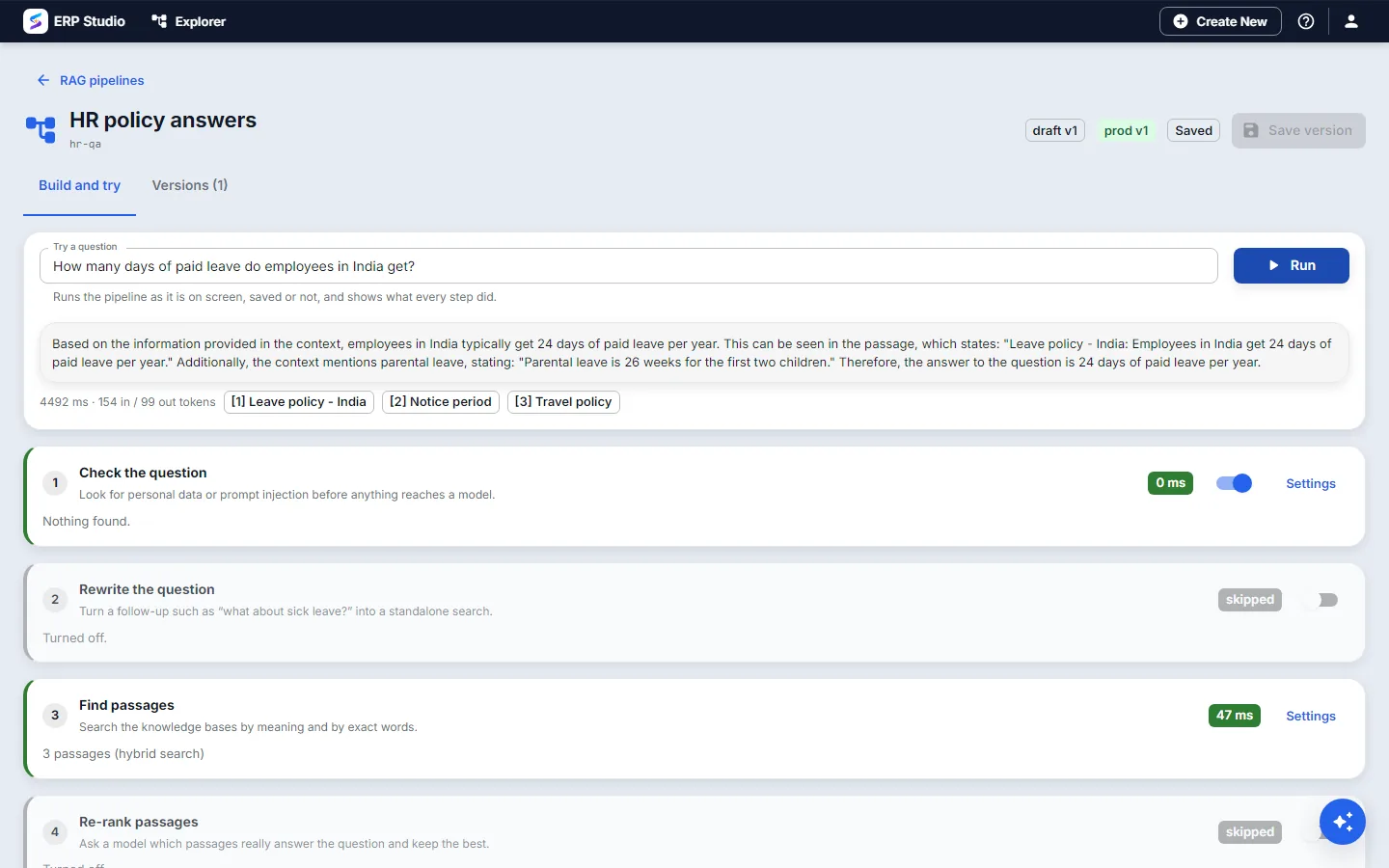
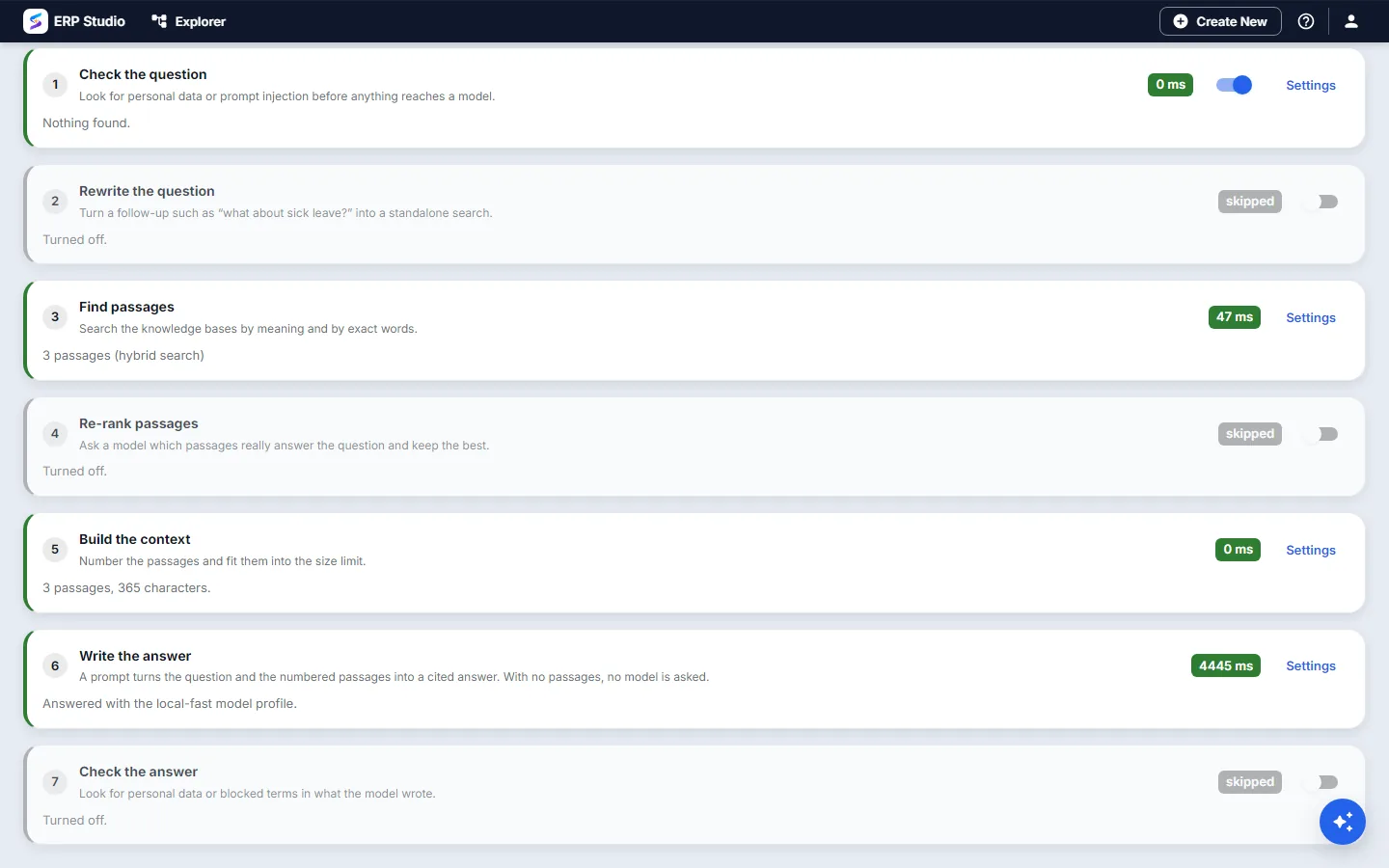
A pipeline checks the question, optionally rewrites it, finds the best passages, optionally re-ranks them, and writes an answer that cites them. Every step is visible and configurable, and if nothing relevant is found it says so instead of guessing.
What happens to a question
Check the question for personal data and prompt injection, and flag, mask or block.
Rewrite a follow-up such as "and for my second child?" into a standalone search (optional).
Find passages in the knowledge bases you chose, by meaning, by words or both.
Re-rank the passages with a model (optional).
Fit the passages into a size limit and write the answer with numbered citations.
Check the answer, and return your no-answer message if nothing relevant was found.
The real screens
Released like a prompt
A pipeline has immutable versions and labels such as prod, and can be called as a model by name from any application, with the citations returned alongside the answer.
See a pipeline answer from your policies.
Bring the documents and the questions.